Incremental reading + spaced repetition
Remember what you read.
Kioku turns articles and PDFs into flashcards as you read, then brings each one back just before you'd forget it.
Free during the beta · macOS, Windows and Linux
Kioku is a desktop app for Mac, Windows and Linux. Send yourself the link and download it there.

How it works
Read a little. Keep what matters. Remember it.
Pull out what matters as you read
Import an article or a PDF and read it in short passes. When a passage is worth keeping, select it and press X to extract it, or Z to turn it into a cloze card, without leaving the page.
Try it on the right.
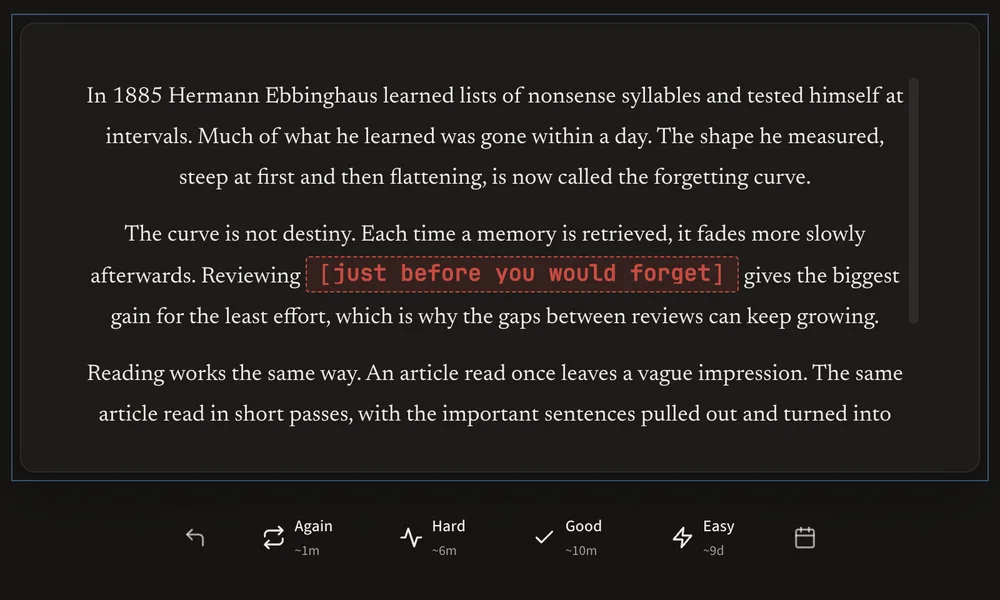
The curve is not destiny. Each time a memory is retrieved, it fades more slowly afterwards.
Reviewing blankjust before you would forget gives the biggest gain for the least effort.
Click the last sentence, as if you'd selected it.
Now press Cloze (or Z) to make it a card.
Extracted: it comes back to read on its own. Now make it a card with Cloze.
How well did you remember it?
Review each card just before you'd forget it
FSRS-6, a modern open-source scheduler, picks each card's next review from how well you remembered it. The gaps grow each time you get it right, so a few minutes a day keeps a lot in your head.
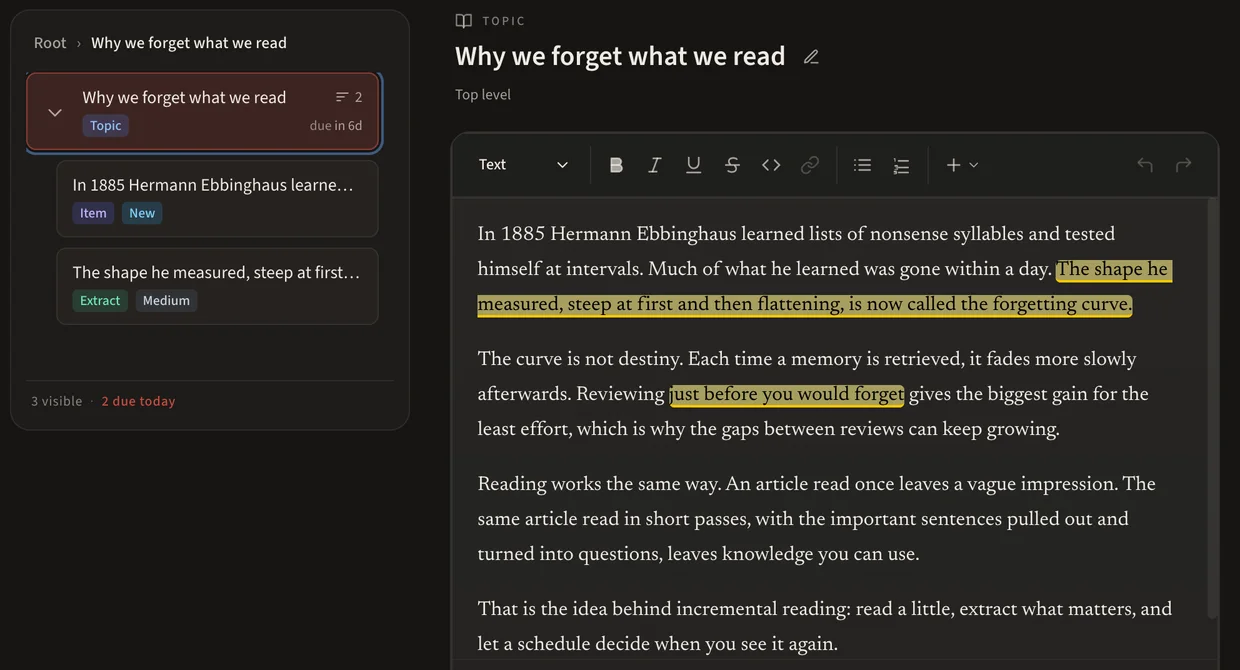
Every card remembers where it came from
Extracts and cards stay linked to the article they came from, in one tree you can search, rearrange and edit. When a card comes up, its context is never lost.
Also in Kioku
Made to keep what you learn for years.
Works offline
No account and no cloud. Kioku runs on your computer and keeps each collection in a local file you own.
Backups built in
Kioku backs up your collection every 30 minutes and before every update, and exports everything to a .zip whenever you like.
Pictures and sound
Add images and audio to any card, hide parts of a diagram with image occlusion, or train your ear with audio cloze.
Live pages
Import a page as a snapshot, or keep it live. When it comes back, the passages you extracted are highlighted on the page.
An editor that keeps up
Write notes and cards with headings, lists, links, pictures and sound. Type / to add a block, or paste a screenshot straight in. It saves as you type.
Made for the keyboard
While you read, single keys act on what you select. While you write, every key types. You can rebind most shortcuts to suit your hands.
Switching from Anki
Bring your decks. Keep your progress.
Your cards arrive with their fields, pictures and sound, and each card's progress becomes its FSRS schedule, so the cards you already know don't start over.
- In Anki, choose File → Export and save an Anki Deck Package (.apkg).
- In Kioku, open Settings and choose Import Anki (.apkg).
- Start reviewing. Big decks import in the background while you use Kioku.
Comes across
- Every card, built from its note type's own templates
- Cloze cards, with their Back Extra
- Pictures and sounds, which play in Review as in Anki
- Each card's progress, estimated from its ease and interval
- Decks, as groups, and suspended cards, still suspended
Left behind
- Tags, and the full review history
- Card styling and scripts: Kioku shows cards in its own style
Your memory. Your machine. Your data.
Kioku is proprietary software; your data never is. Collections are local files you own, the format is documented, and export is built in. No version of Kioku, free or paid, will ever gate your data. If the project is ever discontinued, the source will be released so the community can keep it alive.
FAQ
Questions, answered.
Is Kioku free?
What is incremental reading?
Can I use Kioku on more than one computer?
Is there a mobile app?
Windows says it protected my PC. Is Kioku safe to run?
Where is my data stored?
Is Kioku open source?
Start remembering what you read.
Free during the beta · macOS, Windows and Linux
Kioku is a desktop app. Send yourself the link and download it on your computer.
Want to hear about new versions? Watch the releases on GitHub or ask for updates by email.